
So following on from my exploits with the Motor I have got my hands on the excellent Behringer X-Touch (compact) and I wondered if there were similar opportunities connected with the new scripting capability in FL Studio and the work I had done on the MOTOR keyboard.
So my plan is to cover the following:
- Confirm that the compact responds well to the scripted Mackie Control Universal functionality in FL Studio
- Give an overview of the controls as they relate to the new script’s enhanced functionality
- Show how to set up the revised MCU Scripts in FL Studio (PC)
- Outline the principal “tweaks” that are a part of the new scripts (MCU Enhanced or “MCUE”)
- Demonstrate how the basic MCU functionality works (with these new enhancements)
The controls on the Compact:
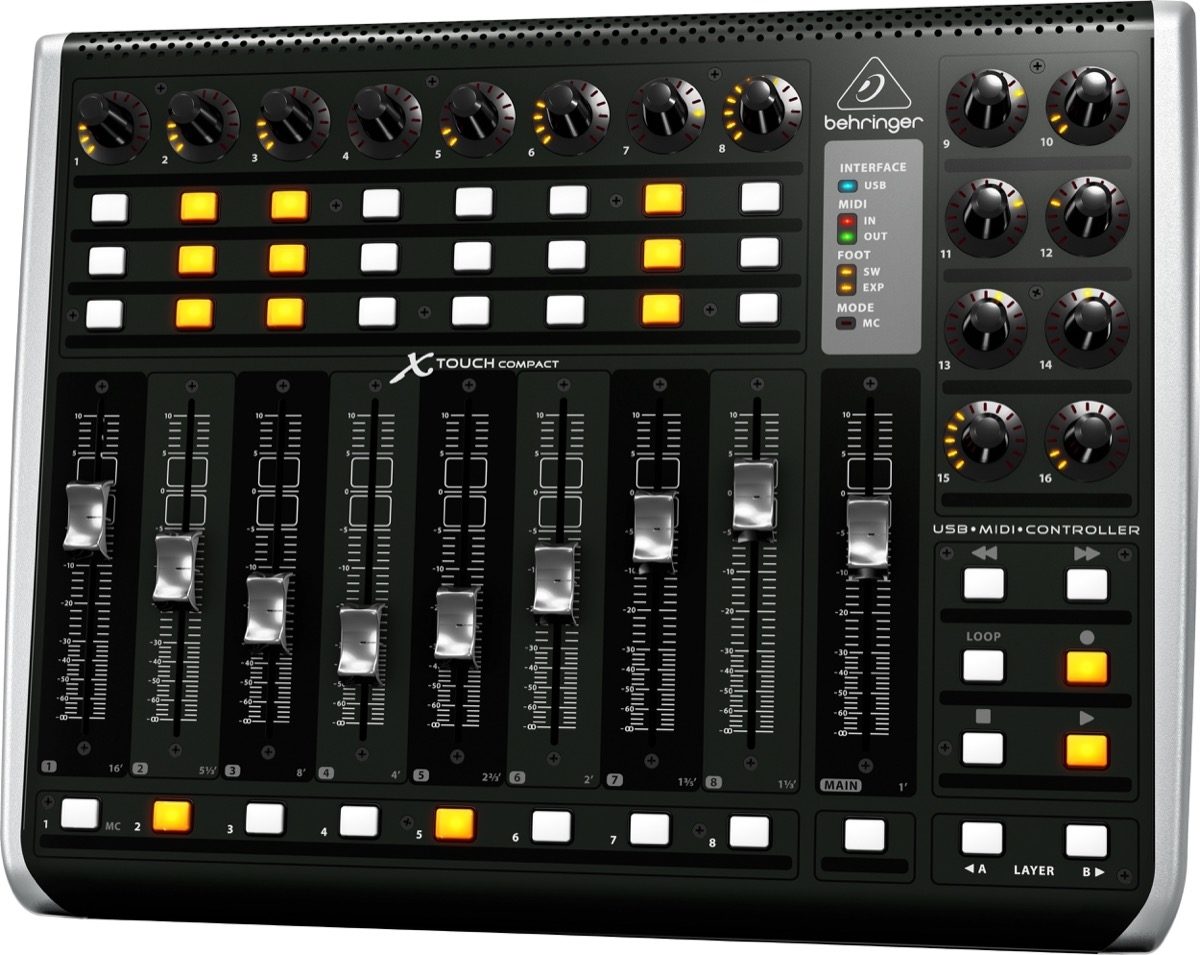
Starting with the basic layout and controls as follows:

Like the Motor keyboard the X-Touch compact benefits greatly from the “pseudo touch” selection on the faders as it now becomes relatively simple to ensure that you know which track the fader you are playing with relates to BEFORE you make any changes!
Unlike the Motor – Behringer have left the X-Touch compact largely label free – Hurray!
The Mackie Control Universal Protocol (MCU)
You can read more about the MCU by following the reference links from Wikipedia here
The diagram below shows the Mackie functionality that is a part of the keyboard:

How to set up the revised Behringer Compact Script in FL Studio (PC)
Plug in your Behringer MOTOR and set up the midi settings as follows (ports don’t matter as long as they match up on Output and Input.

Now download the script from the Image line Forum thread here
- After installing to C:\Users\rd3d2\Documents\Image-Line\FL Studio\Settings\Hardware\MCUE\
- Choose the following script in the MIDI Settings > Controller type list …

What is new in this script? (MCU Enhanced or “MCUE”)
At the time of writing there are 4 main “tweaks” (small changes) to the functionality in the default Mackie script:
- Adding dynamic track numbering in scribble strips (not relevant)
- Adding “pseudo” touch sensitivity to faders
- Forcing the jog dial to stay in the song (playlist) window (not relevant)
- Highlighting the current track when banking through tracks (developed for the Motor and the Compact)
NB 2. and 4. while useful generally, specifically target control surfaces without scribble strips such as this one.
A quick demo of how these new enhancements work with the Behringer Compact Control Surface.
(Note that when banking up the last rack in the bank is selected and when banking down the first track in the bank is always selected – this is so that you always see all the tracks within the bank in the FL Studio UI)
UPDATE: I have now consolidated all the related scripts for the Compact, Motor and BCF2000 into a single script – see this forum post for more details:
(14) Behringer BCF2000, Motor and X-Touch (Compact) devices | Forum (image-line.com)
(This is the only script from me for the compact that will be updated going forward so is a recommended upgrade to this one)
Once you have the script installed setup is as follows:
 Hard Work, Persistence and Passion . . . .
Leave a comment